Part I: The Visual Creator | Chapter 2
From Brief to Visual Concept
The Goal
By the end of this chapter you will be able to turn a client’s request into a clear plan before you create anything. You will know how to read a brief, ask the right questions, agree on budget and payment in writing, build a moodboard and write down exactly what you will deliver. You will also set up a project space in ChatGPT and a moodboard in Canva that you use for the rest of the project. This is the step most beginners skip, and it decides whether your work fits.
Understand: what a brief really is
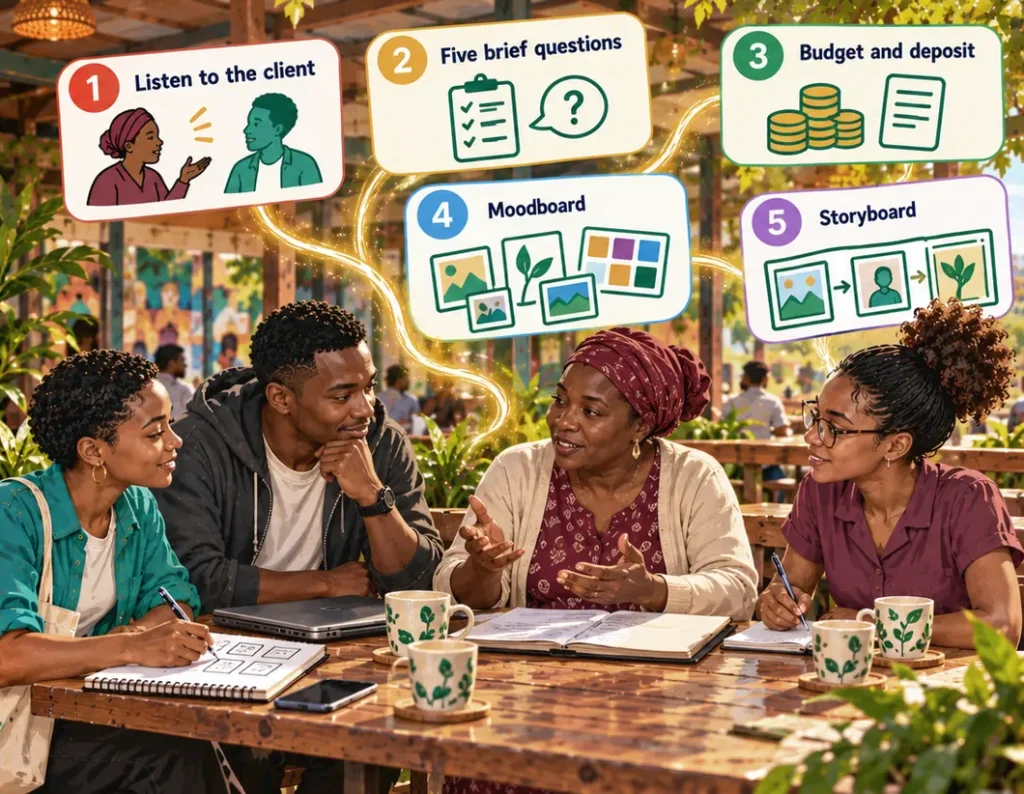
A brief is the client’s problem, turned into a task you can solve. Clients rarely bring a written brief. They bring a problem, a hope and a budget. Your job is to turn that into a clear plan and confirm it with them before you start.
A good brief answers five questions:
| Question | Why it matters |
|---|---|
| Who is it for? | The audience decides style, language and feeling. |
| What should it achieve? | Selling, informing, attracting, explaining: each needs a different approach. |
| Where will it appear? | WhatsApp, a website, a printed poster: each has its own sizes and viewing conditions. |
| What already exists? | Name, logo, colours, earlier images. |
| What are the deadline and budget? | They decide how much you can make and how complex it can be. |
If the client can’t answer these, your first job is not to create. It is to ask.
Understand: what the client says and what the client needs
Clients often describe a solution when they have a problem. “I need a logo” can mean “nobody recognises us”. “I need a video” can mean “nobody understands what we do”. “I need nice photos” can mean “people don’t trust us”.
If you only deliver what the client literally asked for, you may still miss the problem. Ask one more question: “What should be different after this is done?” The answer tells you what success looks like. Write it down. It guides every decision after it.
Understand: budget, agreement and deposit
A fixed budget is not only a limit. It forces decisions: how many images, how long the film, how many pages. Split it across the parts of the job before you start, and keep some back for surprises. Include your own costs: travel, data, and the credits or subscriptions a paid tool will need for this project.
Then put the agreement in writing. A short message on WhatsApp or one page in a document is enough if it says what you deliver, by when, for how much, how many rounds of changes are included and what is not included.
As in Book 1: take part of the payment before you start. A deposit of half the price is common for creative work. It protects you if the client changes their mind, and it shows that the client is serious. Save the M-Pesa confirmation or the bank receipt in the project folder the same day.
Understand: from idea to visual direction
Once you understand the brief, decide what the result should look like. Three things help:
- Moodboard: 5 to 10 images that show the feeling you want. They can come from anywhere: photos, adverts, film stills. They are for you and the client only, never for publishing, because they belong to other people.
- Reference images: examples for one detail each: the light, the colours, the camera angle, the background.
- Style keywords: up to ten words that describe the direction, such as warm, earthy, natural, dignified. They go into every prompt later.
A simple WhatsApp catalogue needs a few references and keywords. A whole visual identity needs all three.
Understand: consistency is decided before the first image
AI can make one beautiful image easily. Ten images that look like the same organisation are much harder. Consistency means the same colour palette, the same light, the same level of realism, the same way of composing, and people, products and places that look the same from image to image.
The rule: write your consistency rules down before you create the first image, put them into every prompt, and check every result against them.
Understand: deliverables before tools
The last step before you create: write down exactly what you will hand over.
| Question | Example |
|---|---|
| How many? | 6 campaign images in one style |
| Which sizes? | 1080 × 1080 px for posts, 1080 × 1920 px for status and stories, 1920 × 1080 px for the website |
| Which file type? | JPG for photos, PNG for graphics with text |
| Options? | 2 options per image for the client to choose from |
| Changes? | 2 rounds of changes included |
| Not included? | Printing, paid adverts, running the accounts |
This protects you and the client. Only now do you choose your tools: the tool serves the deliverable, not the other way round.
Tools for this chapter
| Task | Free start | Professional route |
|---|---|---|
| A workspace for the project | A project in ChatGPT | ChatGPT (paid plan) |
| Turning a conversation into a brief | ChatGPT | – |
| Moodboard | A Canva whiteboard | Canva Pro |
| Colour palette | ChatGPT, asked for hex codes, checked in Canva | – |
| Agreement | WhatsApp message | Google Docs |
| Deposit | M-Pesa (Till or Paybill) | Paystack |
More options for each task: see Part V, “The Tool Landscape”, and the Living Library.
Hands-on: a project space in ChatGPT
In a normal chat, ChatGPT forgets your brief when you start a new conversation. A project keeps it. Everything you do for one client stays together: the brief, the keywords, the anchor block from Chapter 3, every prompt that worked.
- In ChatGPT, create a new project and give it the client’s name, for example “Cooperative launch”.
- In the project’s instructions, write in three or four sentences who the client is, who the audience is, and how you want answers: “Short, specific to western Kenya, no invented facts, ask when something is missing.”
- Add the confirmed brief as a file or paste it into the first chat of the project.
- Start a new chat in the project for each task: the brief, the visual direction, the image prompts, the voice-over. Name each chat so you find it again.
- Don’t put private data into the project that you don’t need: no ID numbers, no members’ phone numbers.
From now on, when you ask a question in this project, ChatGPT already knows the brief. You stop repeating yourself, and the answers stop being generic.
Hands-on: a moodboard in Canva
A moodboard on your phone’s photo album works for you. To show it to a client, put it on one page.
- In Canva, create a new whiteboard.
- Upload your 5 to 10 reference images and arrange them in groups: light, colours, people, places.
- Write a short label under each group: “Morning light, warm”, “Hands at work”.
- Add your style keywords as a line of text at the top.
- Add three or four squares filled with the colours of your palette. Canva lets you type a hex code, so you see whether the colours ChatGPT suggested really work together.
- Share it with the client as a view-only link, or download it as an image and send it on WhatsApp. Say clearly that the pictures are references, not the final images.
See It in Action
The cooperative’s representative is Grace, a practical woman in her forties. She meets the three in the café, orders chai and opens a folder.
“We have nine groups,” she says. “Maize and bean farmers, mostly. We buy inputs together, and now we are starting to sell together. Our members know us. People outside don’t: buyers, partners, new groups who might join. We have no website, and our WhatsApp messages say different things depending on who answers. We once had a flyer made. It looked like a school project.”
Otieno asks what the members use. “Phones. Mostly WhatsApp. Some only have basic phones. The young ones are on Facebook and TikTok.” Achieng asks what people should do after seeing the content. “Contact us. Ask about joining. Or, if they are buyers, ask about our maize.”
Then Achieng asks the question from this chapter: “What should be different when this is finished?” Grace thinks. “A new group should understand what we do in five minutes. A buyer should find us easily. A partner should see that we are organised and reliable.”
Last, the money. “The committee has set aside 75,000 shillings. That is all. And we need it before our general meeting in six weeks.”
When Grace leaves, Zawadi wants to start that night. Otieno stops her: “Give us one day. Tomorrow we plan. Then you start, and you’ll be faster because you’ll know exactly what you’re making.”
The next morning they split the budget:
| Work package | Amount |
|---|---|
| Concept and project coordination | KSh 10,000 |
| Visual design and images | KSh 14,000 |
| Film | KSh 16,000 |
| Website, including domain and hosting | KSh 18,000 |
| Social-media launch package | KSh 10,000 |
| Reserve for changes and surprises | KSh 7,000 |
| Total | KSh 75,000 |
This is an example for learning, not a statement about market prices in Kenya. Real prices vary widely with experience, place and complexity.
Before they write to Grace, the three agree among themselves who does what and how the money is shared. Then Zawadi sends the brief back to Grace on WhatsApp:
Here is what we understood. Audience: new member groups first, then buyers and partners. Goal: people understand what the cooperative does and know how to reach you. We deliver: a visual style and 6 campaign images, a 30–45 second film in vertical and horizontal versions, a simple mobile website with a contact form, and a four-week social-media plan with 12 posts. Ready before your general meeting in six weeks. Price: KSh 75,000, half when the committee agrees, half after handover. Two rounds of changes included. Not included: printing, paid adverts, running your accounts after handover. Is this correct?
Grace replies within an hour. Correct, with one addition: the name should always appear with a short tagline, “Farmers working together”. Two days later the committee agrees, and the treasurer sends the deposit by M-Pesa. Zawadi saves the confirmation message as a screenshot in the project folder.
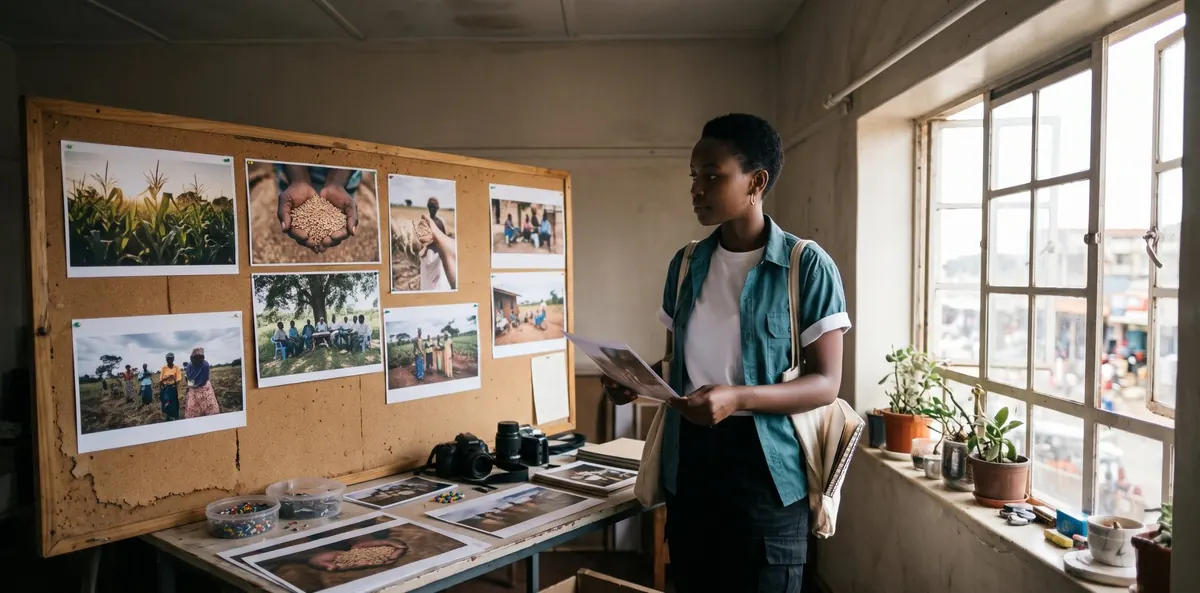
Now Zawadi plans the pictures, still without opening an image tool. She creates a project in ChatGPT called “Cooperative launch” and adds the confirmed brief. She collects eight reference images: farming communities in western Kenya, maize in morning light, group meetings, hands at work. She writes her style keywords: earthy, warm, dignified, real, hands and grain, morning light, community, organised. ChatGPT suggests a palette of deep green, maize gold, cream and red-brown earth. On her Canva whiteboard, the gold next to the green looks loud, so she picks a softer gold and sends the board to the team.
Otieno replies: “Make sure they work on a small phone. Many members only see them on WhatsApp, compressed, sometimes in poor light.” Achieng replies: “Which image goes with which message? If I post hands holding grain, what does the caption say?” Two more constraints, and both are right. An image without a message is decoration.
So Zawadi writes a storyboard for the first six images:
| Frame | What we see | Message |
|---|---|---|
| 1 | Farmers at a group meeting, morning light | We are organised and decide together. |
| 2 | Hands holding maize grain, close-up | This is what we grow and sell. |
| 3 | Bags of seed being unloaded at the store | We get inputs to farmers on time. |
| 4 | A farmer in her field, looking at her crop | Our members are real people doing real work. |
| 5 | Calm background with space for name and tagline | This is who we are. |
| 6 | A hand holding a phone with a WhatsApp chat | This is how you reach us. |
Only now does she open her image tool. That is Chapter 3.
Try It Yourself
- Find a real or practice client: a small business, a group, a person who needs pictures.
- Answer the five brief questions, with the client if you can.
- Ask: “What should be different when this is finished?” Write the answer down.
- Create a project in ChatGPT for this client and add the brief.
- Collect 5 to 8 reference images, put them on a Canva whiteboard and write up to ten style keywords.
- Make a storyboard table for at least five images.
- Write your deliverables: how many, which sizes, which formats, what is included and what is not.
Don’t create a single image yet.
Copy & Paste
Turn a conversation into a brief:
Here is what my client said, in their own words:
"[paste the message or describe the conversation]"
Act as an experienced visual producer. Extract:
1. Who is the audience? (List all of them.)
2. What should the work achieve?
3. Where will it appear: platform, format, device?
4. What already exists: name, colours, logo, tagline?
5. How many pieces, and by when?
6. What is the budget, and what does it cover?
Where the message doesn't answer a point, write the short, friendly question I should ask.
Write the confirmation and agreement for WhatsApp:
Write a short WhatsApp message to my client that confirms our agreement:
- Audience: [who]
- Goal: [what should be different afterwards]
- Deliverables: [number, format, size]
- Deadline: [date]
- Price: [amount], [deposit] before I start, the rest on delivery
- Included: [number] rounds of changes
- Not included: [list]
Friendly and clear, max. 150 words. End with "Is this correct?"
Define the visual direction and storyboard:
Here is my confirmed brief: [paste it]
1. Suggest 6–10 style keywords that fit this audience and purpose.
2. Suggest a palette of 3–4 colours with hex codes.
3. Describe the light and the composition in one sentence each.
4. Say what to avoid so the images don't look like generic stock photos.
5. Make a storyboard for [number] images: what we see, camera distance, and the message of each.
The images must work on a small phone screen. Be specific to this project.
Instructions for your project space:
This project is for [client], [what they do, where].
Audience: [who]. Goal: [what should be different afterwards].
Answer short and specific to this client and place. Don't invent facts,
names or numbers; ask me when something is missing. Use British English.
Improve the Result
- “The client says the moodboard feels too corporate. Suggest three changes that keep it professional but warmer.”
- “Which of my storyboard frames is weakest, and how would you make it stronger?”
- “The client has no brand colours. Suggest a palette that fits their work, their area and their audience.”
- “I have three weeks instead of four. Which deliverables do I keep, and which do I cut?”
Check Your Work
- I have answers to all five brief questions.
- I know what should be different when the work is finished.
- The client confirmed the brief, price and deposit in writing, and the receipt is in my folder.
- The project space in ChatGPT holds the confirmed brief.
- My references, palette and style keywords are on one moodboard, and the keywords are specific.
- My storyboard covers every image I will deliver.
- I know what is included, what is not, and how many rounds of changes there are.
Apply It
Take the goal you wrote in Chapter 1 and plan one small visual project for it: five images for a friend’s business, a WhatsApp catalogue, a series of posts. Go through the whole process: brief, confirmation, project space, moodboard, keywords, storyboard, deliverables. Save it all in one folder. In Chapter 3 you will create the images from this plan.
Key Takeaways
- A brief answers five questions: who, what for, where, what exists, deadline and budget.
- Ask what should be different afterwards. That is how you know what success looks like.
- Split the budget, agree in writing, and take a deposit before you start.
- A project space keeps the brief in every conversation; a moodboard shows the direction on one page.
- Decide the visual direction and the consistency rules before the first image.
- Deliverables first, tools last.